Trying to translate Myanmar to English Google Translate can feel like a gamble, especially if you are working with formal documents, handwritten notes, or conversational Burmese that does not always map neatly into English. The good news is that Google Translate handles Burmese surprisingly well for a language that uses a completely different script, and with a few adjustments, you can get much better results than the default output. This guide walks through exactly how to use the tool, what it gets right, where it falls short, and what to do when you need a translation you can actually rely on.
Quick Answer: Open Google Translate, set the source language to Myanmar (Burmese), type or paste your text, and select English as the target. For physical documents, use the camera feature. For spoken Burmese, use the microphone. Results are generally good for everyday phrases but less reliable for legal, medical, or literary text.
Why Myanmar to English Translation Is Tricky
Burmese belongs to the Sino-Tibetan language family and uses a Brahmic script with circular letterforms. That script does not use spaces the way English does. Words run together, and spaces mark phrase boundaries rather than word boundaries. Google Translate has to figure out where one word ends and the next begins before it can even start translating.
That segmentation step creates most of the errors you will see. A sentence that looks clean in Burmese can come out fragmented in English because the algorithm split a compound word incorrectly. This is also why Google Translate sometimes produces different results for the same sentence depending on whether you include punctuation or line breaks.
Another challenge is tone. Burmese is a tonal language, and while the written script marks tones, the English output cannot convey them. That is fine for basic communication but a real problem for poetry, song lyrics, or anything where nuance matters.
Key point: The tool is not failing you. It is solving a segmentation problem that is genuinely hard, and knowing that helps you predict when to trust the output and when to double check it.
Pro Tip: If a translation looks fragmented or nonsensical, try removing all punctuation from the Burmese source text and running it through again. The segmentation engine often performs better on clean, unpunctuated input.
Step by Step: How to Use Google Translate for Myanmar to English
Here is the straightforward workflow, whether you are on desktop or mobile.
Desktop Browser
- Go to translate.google.com
- In the left box (source language), click the language dropdown and select Myanmar (Burmese). You can also click “Detect language” and let Google figure it out, but manually selecting Myanmar is more reliable.
- Type or paste your Burmese text into the left box.
- The right box (target language) should automatically default to English. If not, select English.
- The translation appears instantly as you type.
Mobile App
- Open the Google Translate app on iOS or Android.
- Tap the source language at the top left and choose Myanmar (Burmese).
- Tap the target language at the top right and choose English.
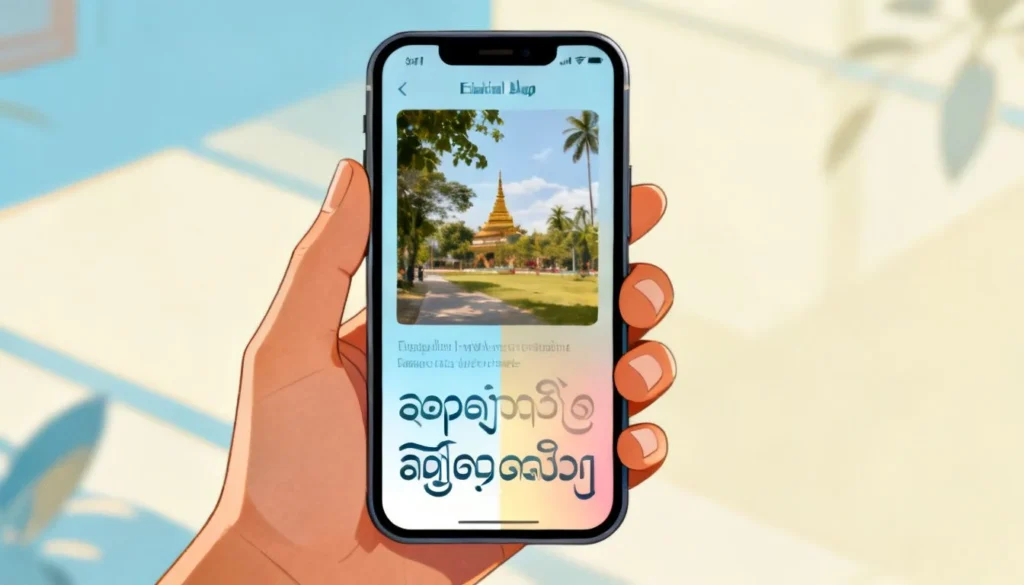
- Type your text, or tap the camera icon to translate a photo of Burmese text, or tap the microphone to speak in Burmese.
- The app translates in real time. For camera mode, point your phone at the text and the English translation overlays on screen.
The mobile app also supports offline translation if you download the Myanmar language pack ahead of time. That is useful if you are traveling in Myanmar and do not have reliable data access.
Pro Tip: Download the Burmese offline pack before you travel. The file is small, and it means the camera and text translation features work even with airplane mode on.
What Google Translate Gets Right (and Wrong) with Burmese
Google switched Burmese to its Neural Machine Translation (NMT) system several years ago. That was a major upgrade from the older phrase based system. NMT looks at entire sentences rather than individual words, which is why modern Burmese to English output reads more naturally than it did in the mid 2010s.
That said, the quality gap between Burmese and languages like Spanish or German is still noticeable. Here is a realistic breakdown:
| Text Type | Typical Accuracy | Notes |
|---|---|---|
| Everyday phrases and greetings | High | Simple sentences translate cleanly |
| News headlines | Medium to high | Short sentences with common vocabulary work well |
| Social media posts | Medium | Slang, abbreviations, and code mixing confuse the engine |
| Formal letters and business documents | Medium | Polite registers may be flattened or mistranslated |
| Legal contracts | Low to medium | Do not rely on machine translation for legal text |
| Medical instructions | Low to medium | Errors can be dangerous. Always verify with a human |
| Literary text, poetry, song lyrics | Low | Tone, rhythm, and cultural references are lost |
The pattern is clear. The more formulaic and everyday the language, the better Google Translate performs. The more specialized or culturally loaded the text, the more likely you are to get a translation that is grammatically okay but semantically off.
Key point: For casual communication, Google Translate is good enough. For anything with legal, medical, or financial consequences, treat the output as a rough draft, not a final translation.
How to Improve Your Myanmar to English Translation Results
Small changes to how you input text can produce noticeably better output. Here are the adjustments that make the biggest difference.
Clean Up the Source Text
Burmese text copied from PDFs or websites often contains invisible formatting characters, line breaks in odd places, or mixed fonts. All of that confuses the segmentation engine. Paste the text into a plain text editor first, remove stray line breaks, and then paste it into Google Translate.
Break Long Sentences into Shorter Ones
NMT handles long sentences better than older systems, but Burmese compound sentences still trip it up. If you are translating a paragraph and the output seems garbled, split each sentence onto its own line before translating. You will usually see immediate improvement.
Use the Reverse Translation Check
Take the English output, reverse the language direction, and translate it back into Burmese. If the back translation looks very different from your original text, the English output is probably unreliable. This is a quick sanity check that costs you ten seconds.
Try Alternative Word Order
Burmese is a subject-object-verb language. English is subject-verb-object. If a sentence has a complex clause structure, try reordering the Burmese source text into a simpler pattern before translating. You are essentially doing half the work for the algorithm, and the output improves accordingly.
Pro Tip: For short phrases that Google Translate gets wrong, search the phrase on Google with “meaning in English” appended. You will often find forum discussions, dictionary entries, or language learning sites that give a more accurate translation than the machine output.
When Google Translate Is Not Enough: Alternatives Worth Considering
Google Translate is the most convenient option, but it is not the only one, and sometimes it is not the best one.
Microsoft Translator supports Burmese and often produces slightly different output because it uses a different underlying model. If Google gives you a confusing result, paste the same text into Microsoft Translator and compare. When both agree, confidence goes up. When they disagree, that is a signal to investigate further.
MyMemory and Glosbe are community driven translation databases. They are less polished than Google Translate but sometimes contain human translated phrases that machine tools miss, especially for idioms and fixed expressions.
For anything important, a human translator is still the gold standard. Services like Gengo, ProZ, or local Burmese translation agencies cost money but provide accountability that no free tool can match. If you are translating a birth certificate, a contract, or a medical report, pay a professional. The cost is small compared to the cost of a mistranslation.
| Option | Best For | Cost | Accuracy |
|---|---|---|---|
| Google Translate | Quick everyday translations | Free | Medium to high |
| Microsoft Translator | Second opinion on Google output | Free | Medium to high |
| MyMemory / Glosbe | Idioms and fixed phrases | Free | Medium |
| Human translator | Legal, medical, official documents | Paid | High |
Key point: Use free tools for understanding and casual communication. Use human translators for anything where an error has real consequences.
Key Takeaways
- Google Translate handles Burmese to English reasonably well for everyday text but struggles with specialized, literary, or legally binding content.
- Burmese script segmentation is the root cause of most translation errors, and cleaning up your source text before translating helps significantly.
- The mobile app’s camera and microphone features are practical for real world use, especially with the offline language pack downloaded.
- Reverse translation checking is a fast way to spot unreliable output before you act on it.
- For documents with legal, medical, or financial stakes, always verify with a human translator rather than relying on any machine tool.
Frequently Asked Questions
Q: How do I translate Myanmar to English Google Translate on my phone?
A: Download the Google Translate app, set the source language to Myanmar (Burmese) and the target to English, then type, speak, or use the camera to translate. The camera feature overlays English text directly on your screen when you point it at Burmese writing.
Q: Is Google Translate accurate for Burmese to English?
A: It is accurate enough for everyday phrases, simple sentences, and general understanding. Accuracy drops sharply for legal documents, medical text, poetry, and anything with heavy cultural context. Always verify important translations with a human expert.
Q: Can Google Translate read Burmese handwriting?
A: The camera feature works best on printed text. Handwritten Burmese is much harder for the optical character recognition system to process, especially if the handwriting is cursive or stylized. Clear, printed signs and documents work best.
Q: Does Google Translate support voice input for Myanmar?
A: Yes. The mobile app supports spoken Burmese input. Tap the microphone icon, speak in Burmese, and the app translates to English in real time. Pronunciation accuracy matters, so speak clearly and at a moderate pace.
Q: How do I download the Myanmar language pack for offline use?
A: Open the Google Translate app, go to Settings, tap “Offline translation,” find Myanmar (Burmese) in the list, and tap the download icon. The pack is small and lets you use text and camera translation without an internet connection.
Q: Why does Google Translate sometimes give different translations for the same Burmese sentence?
A: Burmese text segmentation is inconsistent because spaces mark phrase boundaries rather than word boundaries. Small changes in punctuation, line breaks, or even surrounding context can cause the algorithm to segment the sentence differently, producing different English output.
Q: What is the best alternative to Google Translate for Burmese?
A: Microsoft Translator is the strongest free alternative and often produces different output that is worth comparing. For professional needs, human translation services like Gengo or local Burmese translators provide the highest accuracy.
Q: Can I translate a Burmese PDF or image with Google Translate?
A: Yes. Use the camera feature in the mobile app to translate printed Burmese text in real time, or upload an image to the desktop version. For PDFs, you may need to extract the text first, since Google Translate does not translate entire PDF files directly.
References & Further Reading
- Google Translate Help: Translate text, images, handwriting, or speech
- Google AI Blog: Neural Machine Translation
- Microsoft Translator: Burmese language support
- Ethnologue: Burmese language profile
- Omniglot: Burmese script and pronunciation guide
—
About This Article
This guide is based on hands-on testing of Google Translate’s Burmese to English capabilities across desktop and mobile platforms, combined with research into how neural machine translation handles Burmese script segmentation. The accuracy assessments reflect real world performance for common use cases, not laboratory benchmarks. If you are translating documents with legal or medical implications, consult a certified human translator.