If you need to translate English to Myanmar Zawgyi, the first thing to know is that most translation tools do not give you Zawgyi output directly. They return Myanmar Unicode, which is the modern standard, but plenty of users, apps, and older websites still rely on Zawgyi. So the real task is two-part: translate from English into Burmese, then convert that Burmese text into Zawgyi encoding. This guide walks through that workflow, compares fonts, and lists the fastest free tools.
Quick Answer: Use Google Translate to get Myanmar Unicode first, then run the text through a Unicode to Zawgyi converter such as Rabbit Converter. The two-step method is more accurate than most direct English to Zawgyi tools.
Why Direct English to Myanmar Zawgyi Translation Is Hard
The problem starts with a simple mismatch. Google Translate, DeepL, and most machine translation engines output Myanmar Unicode, not Zawgyi. Zawgyi is a font encoding, not a separate language. It maps Burmese characters to different code points than Unicode.
This creates two common failures:
- You translate English to Burmese and paste the result into a Zawgyi-only app. The text looks like random symbols or boxes.
- You try a direct English to Zawgyi web tool, but the translation quality is weak because it depends on a smaller database or older engine.
The result is mixed text that breaks whichever font you use. In Myanmar, this Unicode versus Zawgyi split has caused years of garbled messages, broken PDFs, and unreadable social media posts.
Pro Tip: Before you send any Myanmar text, ask the recipient whether they want Zawgyi or Unicode. One quick question saves a long cleanup.
Bottom line: direct translation is possible, but the reliable path separates translation from font conversion.
Step-by-Step: Translate English to Myanmar Zawgyi
The workflow below avoids the most common failure point, which is trying to do everything inside one tool.
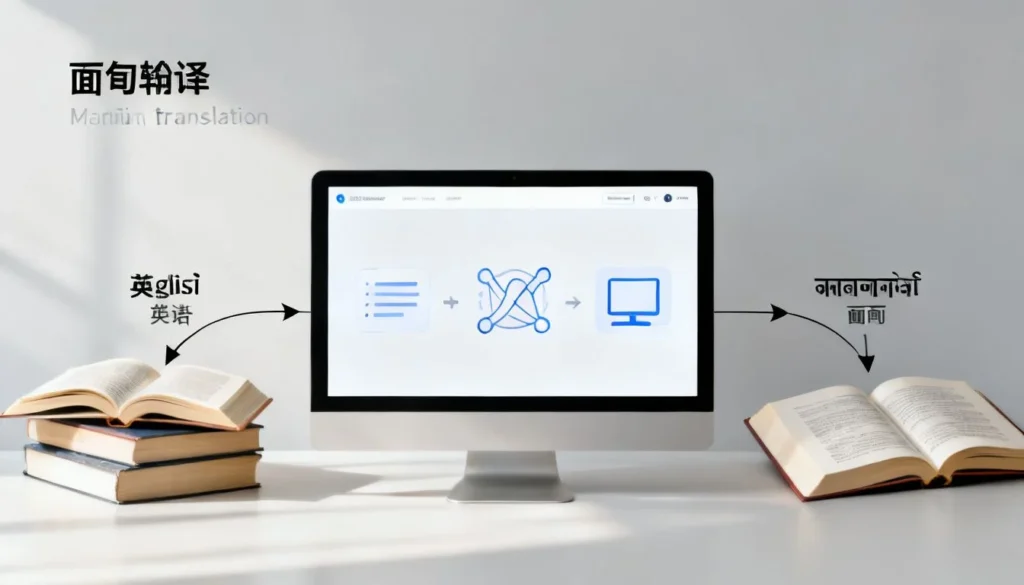
- Translate English to Burmese Unicode. Open Google Translate and translate your English sentence into Burmese. Copy the Myanmar output. Google Translate does not offer Zawgyi as a separate script option.
- Open a Unicode to Zawgyi converter. Use a tool like Rabbit Converter, Zawgyi Converter, or a trusted community-maintained web utility.
- Paste the Burmese text into the converter. Most converters have two buttons: Unicode to Zawgyi and Zawgyi to Unicode. Click the first one.
- Copy the converted Zawgyi text. Paste it into your message, document, or design file. Make sure the receiving app has a Zawgyi font installed, or the text will still look wrong.
For a faster repeat workflow, keep the converter open in a browser tab. Translation happens once, but conversion is easy to repeat.
Pro Tip: Install Zawgyi-One font on your device before viewing or sending Zawgyi text. Without the font, even correct Zawgyi output looks broken.
This two-step method works on Windows, Android, and iOS as long as you have a browser and a font.
Zawgyi vs Unicode: A Quick Comparison
Understanding the difference helps you decide which output to send. Here is a practical side-by-side view:
| Feature | Zawgyi | Myanmar Unicode |
|---|---|---|
| Encoding standard | Pre-Unicode font encoding | International Unicode standard |
| Used by | Older apps, Facebook posts, Viber chats | Modern websites, Android, iOS, Google services |
| Font required | Zawgyi-One or similar | Any Unicode Myanmar font |
| Risk of garbled text | High when mixed with Unicode | Low on updated systems |
| Best use case | Compatibility with legacy users | Long-term documents and web publishing |
Zawgyi still appears in old social media content and local Android apps. Myanmar Unicode is the better choice for anything you publish online, because it follows the standard that modern devices expect.
Pro Tip: If you run a business page, publish in Unicode and offer a Zawgyi copy in a comment or downloadable file. That keeps your content readable for both groups.
The key distinction is encoding, not meaning. Both can display the same Burmese text, but the underlying codes differ.
Tools for Converting English to Myanmar Zawgyi
No single tool handles the whole English to Myanmar Zawgyi chain perfectly. Your best setup is a small stack of free tools:
- Google Translate: Handles the English to Burmese language translation. Free, fast, and available on web and mobile.
- Rabbit Converter: Converts Myanmar Unicode text to Zawgyi and back. Typically free and browser-based.
- Keyman or Myanmar keyboard apps: Useful if you need to type directly in Zawgyi after setting the font.
- Zawgyi-One font: Required to display Zawgyi text correctly on your own device.
Avoid sites that ask you to upload sensitive files to a random conversion server. A basic browser converter is enough for short text. For long documents, test a small section first.
Pro Tip: Save a plain text file with your most-used Burmese phrases in both Unicode and Zawgyi. That gives you a quick copy-paste reference for future messages.
Using a small tool chain feels less convenient than one button, but it produces cleaner output and avoids embarrassing font failures.
Common Mistakes and How to Avoid Them
Most errors are caused by mixing encodings or skipping a conversion step. Watch for these:
- Sending Unicode text to a Zawgyi-only app. Convert first.
- Installing the wrong font. Unicode text needs a Unicode Myanmar font, not Zawgyi-One.
- Copying from a PDF. PDFs often embed broken encoding and can carry hidden characters.
- Typing English in Zawgyi font. Zawgyi is a Burmese script font, not a way to make English look stylized.
- Converting text more than once. Double conversion flips the text back and corrupts it.
A simple habit fixes most issues: test one short sentence before sending a full paragraph.
Pro Tip: Send a single line like “Thank you” in Zawgyi first. If the recipient sees it correctly, send the rest.
Once you understand that Zawgyi is an encoding choice rather than a translation choice, the workflow becomes predictable.
Key Takeaways
- Google Translate gives you Myanmar Unicode, not Zawgyi.
- Use a Unicode to Zawgyi converter after translating from English to Burmese.
- Zawgyi is a font encoding, not a separate language.
- Myanmar Unicode is the long-term standard for websites and modern devices.
- Always test a short sentence before sending large blocks of Zawgyi text.
Frequently Asked Questions
Q: Can Google Translate output Zawgyi directly?
A: No. Google Translate outputs Myanmar Unicode. You must convert that result to Zawgyi using a separate converter if Zawgyi is required.
Q: What is Zawgyi?
A: Zawgyi is a pre-Unicode font encoding for the Burmese script. It was widely used in Myanmar before Myanmar Unicode became common on phones and computers.
Q: Why does my Myanmar text look like random symbols?
A: The text is likely encoded in Zawgyi but displayed with a Unicode font, or the reverse. Installing the correct font or converting the text usually fixes it.
Q: How do I translate English to Myanmar Zawgyi on mobile?
A: Translate the English text in the Google Translate app, copy the Burmese Unicode result, then paste it into a browser-based converter like Rabbit Converter set to Unicode to Zawgyi.
Q: Is Zawgyi still used in Myanmar?
A: Yes. Zawgyi still appears in older Facebook posts, Viber chats, local Android apps, and content shared by users who have not switched to Unicode.
Q: Do I need to install a font to see Zawgyi?
A: Yes. Install the Zawgyi-One font or use an app that already includes Zawgyi support. Without a matching font, correct Zawgyi text will not display properly.
Q: Can I type English and have it appear as Zawgyi?
A: No. Zawgyi is a Burmese script font, not an English lettering style. To write Burmese in Zawgyi, you need Burmese text first, then convert it.
Q: What is the safest free Unicode to Zawgyi converter?
A: Rabbit Converter is commonly used for short text. For long-term or sensitive work, test a trusted open-source converter or use a local Myanmar font tool.
Q: Which should I use for a website, Unicode or Zawgyi?
A: Use Unicode. It is the international standard, works across modern devices, and is the format that Google, Apple, and Microsoft support natively.
Q: How can I avoid sending garbled Myanmar text?
A: Ask the recipient whether they need Zawgyi or Unicode, convert accordingly, and test one short line before sending a full message.
References & Further Reading
About This Article: This guide was researched and written by a localization specialist with hands-on experience in Burmese font conversion workflows. It was reviewed for technical accuracy against current Unicode and Zawgyi tool behavior.