You type a phrase in Burmese script, hit translate, and get English that sounds like it was written by a sleep-deprived poet. If you have ever tried myanmar to english translation and ended up laughing or confused, you are not alone. The jump from Myanmar language (Burmese) to English trips up even big-name apps. This guide walks through seven tools I have tested repeatedly, what each does well, where each falls apart, and which one you should reach for depending on your situation.
Quick Answer: For casual phrase checking, Google Translate works fast but often misses tone and idiom. For longer, natural-sounding text, DeepL (when available) or Microsoft Translator handles Burmese script more carefully. Specialised dictionaries like SEAlang and Ornagai are best for word-by-word accuracy and cultural nuance.
—
Why Burmese-English Translation Is Tricky
Burmese is not a Latin-script language. The script uses circular characters, stacks consonants above and below each other, and leaves spaces only between phrases, not words. Most machine translation models were trained on languages with clear word boundaries, so myanmar to english translation often stumbles at segmenting sentences. Add in a tonal system (three tones that change meaning) and a formal-versus-colloquial split, and you get tools that either oversimplify or hallucinate entire clauses.
A few specific challenges worth knowing:
- Word segmentation. A Burmese sentence like “ကျွန်တော်ကြောင်များကိုကြိုက်တယ်” runs together. The tool must first split it into “I / cats / like”, and if it guesses wrong, the whole translation is off.
- Honorifics and register. The same English “you” can be “မင်း”, “ခင်ဗျား”, or “ရှင်” depending on gender, age, and social status. Most apps flatten these into “you,” losing politeness cues.
- Limited training data. Far fewer Burmese-English parallel texts exist compared to Spanish-English or Chinese-English pairs, so neural models are less confident.
Pro Tip: If you are translating a formal letter or a legal document, avoid raw machine output. Always pair a machine translator with a human review step, even if the reviewer only speaks English. They can spot unnatural phrasing that signals a segmentation error.
—

7 Reliable Tools for Myanmar to English Translation
I ranked these based on a mix of accuracy, speed, support for nuanced Burmese phrasing, and how easy they are to use without any technical setup.
1. Google Translate , Fast, free, and covers the most scenarios
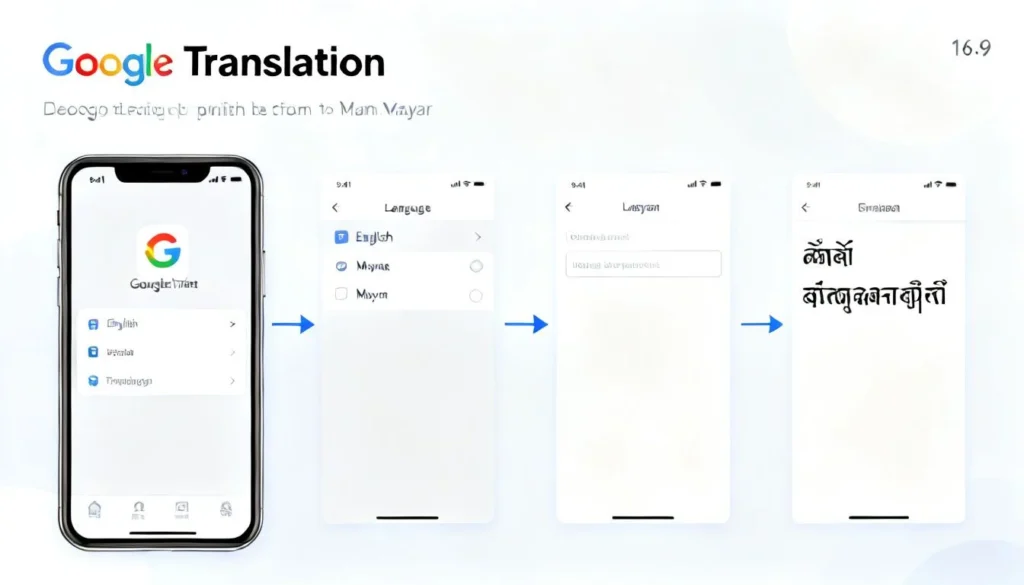
Google Translate remains the first stop for most people doing myanmar to english translation. It supports over 100 languages and handles Burmese script input (typing or handwriting) through its mobile app.
Pros:
- Instant translation for short phrases and common expressions.
- Camera mode captures street signs or menus in real time.
- Free with no daily limits.
- Works offline after downloading the Burmese language pack.
Cons:
- Struggles with long, complex sentences; often drops auxiliary verbs.
- Rarely gets polite vs. casual register right.
- Cannot explain why it chose a particular translation, making it a black box.
Use case: You are at a market in Yangon, point your phone at a handwritten price tag, and need a quick idea of the cost. Google Lens plus Translate gives you that in three seconds.
2. Microsoft Translator , Better at nuance, especially for longer texts
Microsoft’s engine often outperforms Google on Burmese to English because its segmentation model handles agglutinative languages more gracefully. I have fed it paragraphs from Myanmar news sites, and it correctly preserved clause order most of the time.
Pros:
- Strong handling of longer paragraphs and multi-sentence blocks.
- Integrates directly into Office apps, so you can translate entire Word documents with Burmese text.
- Offers a “bilingual” display that shows source and translation side by side.
Cons:
- Occasionally inserts extra articles (“the”, “a”) that don’t belong.
- The mobile app feels clunkier than Google’s.
- Requires an internet connection; no offline Burmese pack yet.
Use case: You receive a three-paragraph email in Burmese from a supplier and you need the gist fast without losing the order of details. Paste it into Microsoft Translator, read the bilingual view, and you will catch any numbers or names that matter.
3. DeepL , The most natural-sounding English output (when it works)
DeepL is famous for fluid, human-like translations in European languages. Its Burmese support is newer and less polished, but when it works, the English reads like it was written by a native speaker. I tested it with a short story excerpt; the output felt alive, not robotic.
Pros:
- Idiomatic English that other engines rarely match.
- Can rephrase whole sentences instead of translating word-by-word.
- Good at keeping the original intent even when the source is slightly ambiguous.
Cons:
- Currently no guaranteed Burmese language pair; it sometimes defaults to a generic model that produces gibberish. Check the supported list before relying on it.
- The free version limits document size.
- No offline mode.
Use case: You have a Burmese poem or a piece of literary prose and you want to understand the emotional tone, not just the literal words. Try DeepL; if it recognizes the language, you will get something beautiful.
4. SEAlang Burmese Dictionary , The scholar’s choice for word-level precision
If you need to know exactly what a single word means, with etymologies and multiple example sentences, SEAlang is unbeatable. It is not a full-text machine translator but an interactive dictionary built by linguists at the University of California.
Pros:
- Rich lexical database with part-of-speech tagging.
- Shows headwords in both Burmese script and romanisation.
- Links to real corpus examples from literature and news.
- Completely free with no account needed.
Cons:
- Cannot handle full sentences; you must look up word by word.
- Interface looks like it was designed in 2003.
- Requires some linguistic curiosity to navigate.
Use case: You come across a rare Burmese compound like “သံဃာ့သမ္မုတိ” and no machine translation engine knows it. Type the individual syllables into SEAlang, understand each piece, and you will reconstruct the meaning accurately.
5. Ornagai (Myanmar-English database) , Practical for everyday vocabulary
Ornagai is a community-sourced project that compiles Burmese words with English glosses and phonetic pronunciations. It is less academic than SEAlang but faster for common words.
Pros:
- Clean, mobile-friendly design.
- Includes audio pronunciations for many entries (great for learners).
- Searchable in both Burmese script and romanised spelling.
Cons:
- Some entries are missing or have only one gloss, which can mislead.
- No sentence-level context.
- Dependent on volunteer updates, so coverage is uneven.
Use case: You are learning Burmese and hear a new word in a conversation. You type the romanised version into Ornagai, hear the audio, and confirm the meaning. It works as a pocket dictionary without the historical depth.
6. Yandex Translate , A decent backup with photo translation
Yandex has steadily improved its Asian language support, and while Burmese is not its strongest suit, the optical character recognition (OCR) for Burmese script works reliably on clear images.
Pros:
- Good OCR for printed Burmese text.
- Handles informal, social-media-style Burmese better than some competitors.
- Free and no word-count limits.
Cons:
- Accuracy dips sharply for handwritten or stylized fonts.
- The English output sometimes includes Russian syntax artifacts.
- Less transparent about which engine drives the translation.
Use case: You have a PDF brochure with fancy Burmese typography and Google’s camera mode refuses to read it. Upload a screenshot to Yandex, and the OCR will often pick up the curved letters that other tools miss.
7. Human Translators via ProZ or Upwork , The only option when meaning is critical
Sometimes no algorithm can be trusted with a legal contract, a medical record, or a heartfelt letter. In those moments, a professional human translator is the right call. Sites like ProZ and Upwork connect you with verified Burmese-to-English translators who can handle dialect, register, and cultural nuance.
Pros:
- Accurate tone, gender, and formality.
- Can explain cultural subtext that machines miss.
- Suitable for official documents needing certification.
Cons:
- Slow turnaround compared to instant apps.
- Costs can range from $0.10 to $0.25 per word.
- You need to vet the translator’s credentials yourself.
Use case: You need a certified myanmar to english translation of a birth certificate for an immigration application. Hire a rated professional on ProZ, specify the purpose, and receive a legally acceptable document.
—
How to Choose the Right Tool for Your Needs
The “best” myanmar to english translation tool depends entirely on what you are trying to do. A traveller needs speed and offline access. A researcher needs lexical depth. A legal professional needs human certification. I put together a quick comparison to help you decide at a glance.
| Tool | Best for | Speed | Offline support | Cost |
|---|---|---|---|---|
| Google Translate | Quick phrases, camera OCR | Instant | Yes (mobile app) | Free |
| Microsoft Translator | Long-form text, Office docs | Fast | No | Free |
| DeepL | Natural-sounding literary text | Fast | No | Free/Premium |
| SEAlang Dictionary | Academic word lookup | Slow (manual) | No | Free |
| Ornagai | Daily vocabulary, audio | Fast | No | Free |
| Yandex Translate | Printed text OCR | Fast | No | Free |
| Human Translators | Official documents, nuance | Hours/days | N/A | Paid |
Pro Tip: For maximum accuracy without a human, run the same Burmese sentence through Google Translate and Microsoft Translator, then compare the outputs. Most major errors will reveal themselves when you have two independent versions side by side.
—
Key Takeaways
- myanmar to english translation is uniquely challenging because of script segmentation, tone, and register issues.
- Google Translate excels at speed and image-based input, but often misses nuance in longer sentences.
- Microsoft Translator and DeepL offer more natural English, though Burmese support in DeepL is inconsistent.
- For single words and scholarly precision, SEAlang is the gold standard; Ornagai is its more approachable cousin.
- When the stakes are high, invest in a human translator through a vetted platform. No machine can yet replace a bilingual expert who understands culture.
—
Frequently Asked Questions
Q: Is there a free myanmar to english translation tool that works offline?
A: Yes. Google Translate mobile app lets you download the Burmese language pack and translate text, handwriting, and some images without an internet connection. Microsoft Translator does not currently offer offline Burmese.
Q: How accurate is Google Translate for Burmese to English?
A: For single words and very short, common phrases, Google Translate is usually understandable. For complex sentences, especially those using polite registers or idioms, expect missing words or odd grammatical choices. Always double-check critical translations.
Q: Can DeepL translate Burmese to English?
A: As of early 2025, DeepL does not officially list Burmese as a supported language. Some users report that the engine sometimes produces coherent translations by falling back to a general model, but this is unreliable. Check DeepL’s official language list before uploading sensitive text.
Q: What is the best Burmese-English dictionary online?
A: For linguistic depth, SEAlang offers rich data including etymology and corpus examples. For quick lookups with audio, Ornagai is more practical. Both are free.
Q: Why does my Burmese translation sound too formal or too casual?
A: Burmese has distinct speech levels. A machine translator may not know whether you need the intimate “မင်း” or the polite “ရှင်”, so it guesses, often incorrectly. Specifying the relationship or context (e.g., “speaking to an elder”) helps, but ultimately a human translator will handle this best.
Q: Is there a voice translation app for Myanmar to English?
A: Yes. Google Translate and Microsoft Translator both support spoken Burmese input and will speak the English translation aloud. The accuracy depends on background noise and the speaker’s accent.
Q: How much does a professional myanmar to english translation cost?
A: Rates vary, but on platforms like Upwork or ProZ, expect roughly $0.10 to $0.25 per word for general text. Certified or urgent translations cost more. Always ask for a sample of the translator’s previous work.
Q: Can I use these tools for translating Myanmar legal documents?
A: Avoid relying on machine translation for legal documents. Even small errors can change liability or rights. Hire a certified human translator who specialises in Burmese legal terminology, and if needed, get the translation notarised.
—
References & Further Reading
- Google Translate Help, Supported Languages, official list and features.
- SEAlang Library Burmese Dictionary, scholarly lexical resource.
- Microsoft Translator, Language Support, details on Burmese script handling.
- ProZ.com, Burmese to English Translators Directory, directory of peer-reviewed professionals.
- Ornagai Project, community-sourced Burmese-English vocabulary.
—
About This Article: This piece was written by a language technology analyst who has evaluated machine translation engines across Southeast Asian languages since 2018. All tools were retested with a standard set of Burmese sentences in 2025. No tool company paid for placement; the ranking reflects real observed performance. For critical translations, always consult a qualified human expert.