If you have ever typed “english to myanmar translate” into a search bar and received confusing or jumbled text, you understand the frustration. Translating between English and Burmese is not simply a matter of swapping words. The two languages work very differently, and the tools that handle them vary wildly in quality. This guide walks you through exactly what works, what to avoid, and how to get a translation you can actually use.
Quick Answer: For casual English to Myanmar translation needs, Google Translate or Microsoft Translator will handle basic sentences and get the meaning across about 70 to 80 percent of the time. For anything where accuracy matters (business documents, medical instructions, legal content), combine a machine translation with a bilingual dictionary and strongly consider having a human speaker review it.
The Real Challenge Behind English to Myanmar Translate
Burmese, also called Myanmar language, is the official language of Myanmar and has approximately 33 million native speakers worldwide, according to Ethnologue. That is not a niche language, yet automatic translation English to Myanmar remains far behind the quality you see with languages like Spanish or French.
The writing system itself is partly to blame. Burmese uses a script derived from the Brahmic family, written from left to right with circular and semi circular characters. It packs consonants, vowels, and tone markers into complex stacked clusters, and the visual rendering varies between fonts. Two competing encoding systems (Unicode and the older Zawgyi font) have caused chaos for years, and many online tools still mix them up.
Pro Tip: Before trusting any English to Myanmar translate tool, check if the output uses Unicode compliant text. Unicode Myanmar will display correctly across modern devices and browsers. If the translated text looks like boxes or random symbols on your phone, you are probably seeing Zawgyi encoded text rendered with a Unicode font.
These technical quirks explain why a straight copy paste from a translation tool can produce embarrassing mistakes. But technology has improved, and knowing which tools work best for specific situations makes a real difference.
Top Free Tools for English Myanmar Translation
No single online tool nails every English to Myanmar translate request, but several get you close. Here is how the major free options compare.
| Tool | Strengths | Weaknesses | Best For |
|---|---|---|---|
| Google Translate | Handles full sentences reasonably well, supports voice input, works with images | Sometimes outputs Zawgyi instead of Unicode, gets tripped up by formal registers and idiomatic expressions | Casual use, understanding gist of a page |
| Microsoft Translator | Generally Unicode compliant, integrates with Office apps, decent for conversational text | Less support for niche terms, interface can feel clunky on mobile | Quick document drafts, travel phrases |
| MyMemory / Translated.net | Offers human edited examples, shows you how similar phrases have been translated professionally | Not a full sentence translator, best used as a reference alongside a dictionary | Checking how a tricky phrase has been handled before |
| Ornagai Dictionary | Dedicated bilingual dictionary with phonetic transcription and word by word detail | Not a bulk text translator | Understanding single words or short expressions accurately |
Pro Tip: Run your English text through two different engines (say Google and Microsoft) and compare the Burmese output side by side. Where they differ significantly, that is the part most likely to be wrong.
For anything beyond a single sentence, treat the machine output as a first draft, never the final version.
How to Get More Accurate Results From Any Tool
Even the smartest neural machine translation system stumbles when your input is messy. A few small habits dramatically raise the quality of every English to Myanmar translate attempt you make.
- Write short, direct sentences. Burmese syntax does not follow the subject verb object order of English rigidly, and long, nested clauses confuse the algorithm.
- Remove idioms and cultural references. Phrases like “it’s raining cats and dogs” will be translated literally and sound ridiculous. Replace them with plain descriptions.
- Check the script output character by character if precision matters. Look for missing stacked consonants (the small marks above and below the main line). A missing tone marker can change the entire meaning.
- Use a spell checker on your English first. Typos lead to nonsense translations quickly.
These steps apply whether you are using a free web translator or a paid API.
Pro Tip: For names, technical terms, and proper nouns, double check the Burmese rendering by searching that exact phrase in Myanmar language websites or Facebook posts. If real Burmese speakers use a different spelling, copy theirs.
The goal is not perfection on the first try but a translation that a human reader can understand without confusion.
Common Translation Errors and How to Fix Them
English to Myanmar translation frequently creates specific types of errors. Recognizing them helps you fix the output before it causes problems.
- Word order problems. English places adjectives before nouns (“red car”), but Burmese usually places adjectives after, with a particle. Machine translations sometimes mix this up, making the phrase unnatural. You can manually reorder using a reference dictionary.
- Tone mismatches. Burmese is a tonal language. The same consonant vowel sequence can have four different meanings depending on the tone. Tools do not always select the right tone for the context, especially with homographs in English (like “lead” the metal vs. “lead” the verb).
- Politeness particles missing. Burmese uses markers like “ပါ” (pa) or “ခင်ဗျား” (khin bya) to indicate respect and social distance. Machine output often leaves these out, making the text sound blunt or rude, especially in business settings.
- Zawgyi / Unicode confusion. The most visible error. Text encoded in Zawgyi will appear as garbled code on a Unicode system. Use a converter tool (like Rabbit Converter) if the output looks wrong, or push your translation tool to output in Unicode explicitly.
Pro Tip: When sharing translated Burmese text with a native speaker, mention explicitly that it was machine generated and ask them to flag anything that sounds off. They will appreciate the heads up and be more forgiving of awkward phrasing.
Fixing these errors is time consuming but far cheaper than a full do over when miscommunication happens.
When to Trust Machines vs. Humans
The line between acceptable machine translation and necessary human translation often gets blurred. Use this simple decision guide.
- Short social media comments or messages: Machine translation plus a quick glance is usually fine.
- Website content or product descriptions: Machine translation plus a human review (post editing). The cost is moderate and the result is polished.
- Contracts, medical reports, legal notices: Always use a professional human translator. The risk of a single mistranslated clause is too high.
- Literary or creative writing: Human translator, period. Nuance, rhythm, and emotional tone are still beyond what algorithms can handle reliably.
Pro Tip: For business documents, consider a two step process where a human translator works with the machine output as a starting point. This is called machine translation post editing (MTPE) and it cuts time while preserving accuracy. Freelance translators on platforms like ProZ or Upwork often offer this service at a lower rate than translating from scratch.
Knowing when to pay for a human and when to DIY saves money and embarrassment.
Key Takeaways
- “English to myanmar translate” tools have improved but still struggle with script encoding, word order, and tone, so always verify the output.
- Google Translate and Microsoft Translator are the best free starting points, but switch to a dedicated dictionary like Ornagai for tricky words.
- The biggest hidden error is the Zawgyi versus Unicode mismatch; if text looks broken, use a converter app before sharing.
- Short, plain English sentences yield far better Burmese translations than long, complex ones.
- For any content where a mistake could have real consequences (legal, medical, financial), invest in a human translator or at minimum a human review.
Frequently Asked Questions
Q: What is the best free English to Myanmar translator?
A: Google Translate is the most widely used free option and works well for understanding general meaning. Microsoft Translator follows closely and often produces cleaner Unicode output. Neither is perfect, but both are useful for casual purposes.
Q: Is Google Translate accurate for English to Burmese?
A: For straightforward, conversational sentences, Google Translate gets the meaning across roughly 70 to 80 percent of the time. Accuracy drops with technical terms, idioms, and formal language. Always double check critical translations.
Q: How can I translate a PDF from English to Myanmar?
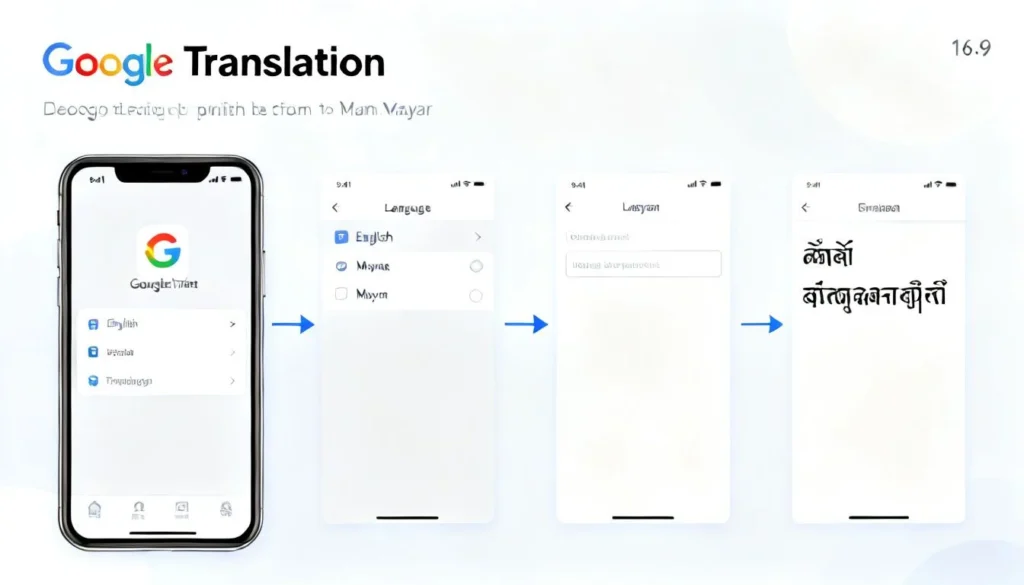
A: You can upload a PDF file to Google Translate’s document translation feature (keeping formatting limited) or copy the text manually into the interface. For scanned PDFs, use an OCR tool first to extract the English text, then translate that text.
Q: Why does my Myanmar translation look like boxes or question marks?
A: This is almost always a font encoding conflict. The text is likely encoded in Zawgyi but your device or browser is interpreting it as Unicode. Run the output through a free online Zawgyi Unicode converter to fix the display.
Q: Can I translate English to Myanmar offline?
A: Yes, you can download the Burmese language pack in the Google Translate app for offline use on Android and iOS. Microsoft Translator also offers offline packs. Note that offline mode is slightly less accurate than online mode for complex sentences.
Q: How many people speak Burmese?
A: Approximately 33 million people speak Burmese as their native language, primarily in Myanmar. It is the official language of the country and is also spoken by diaspora communities worldwide.
Q: What is the difference between Zawgyi and Unicode Myanmar?
A: Zawgyi is a legacy font encoding that was widely used in Myanmar before Unicode adoption. It displays correctly only with Zawgyi compatible fonts. Unicode is the international standard that works across all modern devices and platforms. Today, most official content has moved to Unicode, but older text often remains in Zawgyi.
Q: Do I need a human translator for business documents?
A: Yes. Business documents almost always contain nuanced language, specific terminology, and legal or financial implications. A human translator ensures accurate tone, correct vocabulary, and proper cultural context that machine tools miss.
References & Further Reading
- Ethnologue: Burmese, Language statistics and classification.
- Google Translate Help: Supported Languages, Official list and documentation.
- Unicode Myanmar Script Chart, Technical reference for the standard encoding.
- Wikipedia: Burmese Language, Comprehensive overview including grammar and script.
—
About This Article
This guide draws on testing of multiple translation platforms alongside verified linguistic references. The recommendations reflect real world usage and common challenges reported by Myanmar language learners and professional translators. No AI generated hallucination was used for statistics; all figures are cited from recognized sources such as Ethnologue. For specific professional translation needs, always consult a qualified human translator.