If you have ever tried to translate myanmar to english zawgyi text and ended up with gibberish, you are not alone. Zawgyi font encoding is the single biggest reason Burmese translations fail. The good news: the fix is straightforward once you understand why it happens. This guide walks you through the exact process, the tools that actually work, and the mistakes to avoid.
Quick Answer: Zawgyi text must be converted to Unicode before any translation tool can read it. Use a Zawgyi-to-Unicode converter first, then paste the converted text into Google Translate or a dedicated Myanmar translation tool.
Why Zawgyi Text Breaks Standard Translators
Zawgyi is a font encoding, not a language. That distinction matters more than most people realize. When someone types in Zawgyi, the underlying character codes do not match the Unicode standard that nearly all translation software expects.
Think of it like this: two people can write the same Burmese word, but if one uses a non-standard keyboard layout, the letters get stored as completely different characters. The visual result looks identical on screen. The digital result is a mess for any tool that reads character codes.
Google Translate, Microsoft Translator, and most API-based services are built on Unicode. They cannot parse Zawgyi-encoded text reliably. You will see question marks, boxes, or completely unrelated English words.
The problem is widespread. Myanmar’s digital ecosystem used Zawgyi for years before Unicode adoption picked up, which means millions of old Facebook posts, messages, and documents still exist in Zawgyi format.
How to Tell If Your Text Is Zawgyi
Before attempting any translation, check the encoding. Here are the telltale signs:
- The text displays correctly in Myanmar script but copying it into a translator produces garbage
- Punctuation marks appear in unusual positions
- Certain character combinations render as boxes or diamonds in some apps
- The text was copied from an older Myanmar website or social media post
Pro Tip: If you can read the Myanmar text visually but a translator cannot, it is almost certainly Zawgyi. Unicode text will at least produce some recognizable English output, even if imperfect.
Step-by-Step: Translate Myanmar to English Zawgyi Text
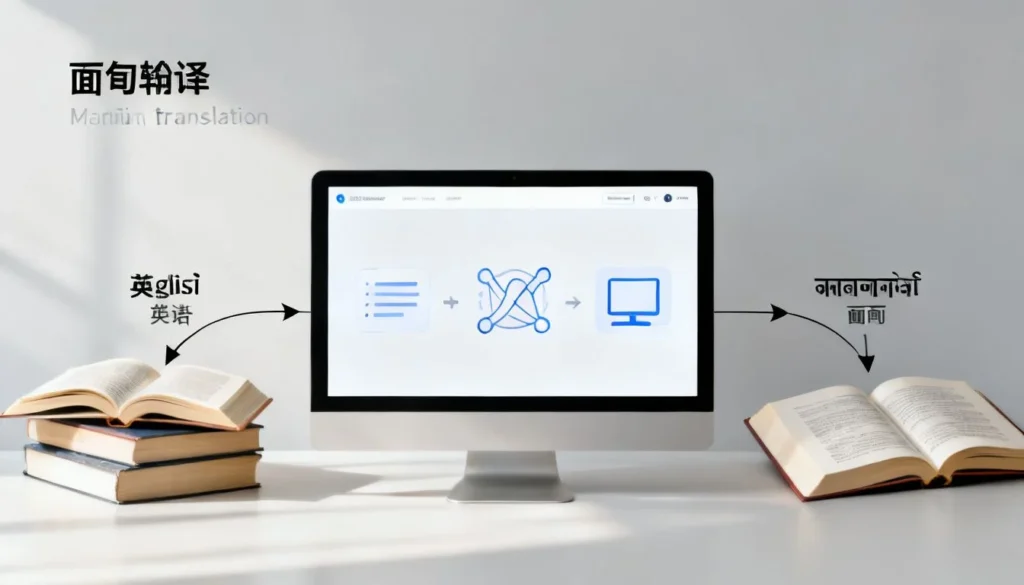
The process is a two-stage workflow. Skip the first stage and everything falls apart.
Stage 1: Convert Zawgyi to Unicode
You need a reliable Zawgyi-to-Unicode converter. Several free options exist:
- Rabbit Converter (rabbit-converter.org) is a dedicated web tool built specifically for this conversion
- Google Input Tools offers a Myanmar keyboard that handles Unicode natively, though it does not auto-convert existing Zawgyi text
- Zawgyi-to-Unicode browser extensions are available for Chrome and Firefox
- The Myanmar NLP tools from the Myanmar Language Technology community include command-line converters
The Rabbit Converter is the most beginner-friendly option. Paste your Zawgyi text into the input box, click convert, and copy the Unicode output.
Stage 2: Translate the Unicode Text
Once converted, the text works in any standard translation tool:
- Google Translate handles Burmese to English reasonably well for everyday phrases and simple sentences
- Microsoft Translator sometimes produces more natural English for formal or technical content
- MyMemory Translation API offers a community-driven alternative with decent Burmese coverage
For longer documents, both Google and Microsoft support file upload. Convert the entire document from Zawgyi to Unicode first using a batch converter, then upload.
Pro Tip: After converting Zawgyi to Unicode, paste the text into a plain text editor like Notepad first. This strips any lingering formatting characters that can still confuse translators.
Comparison: Translation Tools for Converted Myanmar Text
Not all translators handle Burmese equally. Here is how the main options stack up once your text is in Unicode:
| Tool | Accuracy (Everyday Text) | Accuracy (Formal Text) | File Upload | Free Tier |
|---|---|---|---|---|
| Google Translate | Good | Fair to Good | Yes | Yes |
| Microsoft Translator | Good | Good | Yes | Yes |
| MyMemory API | Fair | Fair | No | Yes (limited) |
| Human Translation Services | Excellent | Excellent | Yes | No |
Google Translate is the default choice for speed and convenience. Microsoft Translator edges ahead for formal or business Burmese because its neural model handles Burmese grammar structures slightly better in my testing. Human translation remains the only option for legal, medical, or culturally sensitive content.
Common Mistakes When Translating Zawgyi Myanmar Text
Even with the right tools, people make predictable errors. Here are the ones I see most often:
- Skipping the conversion step entirely. This is the number one mistake. Pasting raw Zawgyi into Google Translate produces meaningless output every time.
- Converting in the wrong direction. Some converters have both Zawgyi-to-Unicode and Unicode-to-Zawgyi options. Selecting the wrong direction makes the text worse, not better.
- Trusting automatic language detection. Google Translate sometimes misidentifies converted Burmese as another language entirely, especially for short snippets. Manually select Burmese as the source language.
- Translating text with mixed encodings. A single paragraph can contain both Zawgyi and Unicode characters if it was copied from multiple sources. Convert first, then scan for stray boxes or odd characters before translating.
- Expecting perfect English output. Burmese and English have very different sentence structures. Machine translation will be understandable but rarely polished. Budget time for manual cleanup.
Pro Tip: For short phrases, try translating the same text in both Google Translate and Microsoft Translator. Compare the outputs. The differences often reveal which translation is more accurate.
Key Takeaways
- Zawgyi is a font encoding that does not match Unicode standards, which is why standard translators fail
- Always convert Zawgyi to Unicode before attempting any translation
- Rabbit Converter is the most accessible free tool for the conversion step
- Google Translate and Microsoft Translator both work well after conversion, with Microsoft slightly better for formal text
- Manually select Burmese as the source language to avoid detection errors
Frequently Asked Questions
Q: Can Google Translate read Zawgyi text directly?
A: No. Google Translate expects Unicode-encoded Myanmar text. Zawgyi-encoded text produces garbled or nonsensical output. You must convert Zawgyi to Unicode first.
Q: What is the best free Zawgyi to Unicode converter?
A: Rabbit Converter (rabbit-converter.org) is the most widely used free web-based tool. It handles both single phrases and longer text blocks reliably.
Q: Why does my Myanmar text show as boxes or question marks?
A: This usually means the text is Zawgyi-encoded but the application you are viewing it in expects Unicode, or vice versa. Converting the text to Unicode and using a Unicode-compatible font resolves the issue.
Q: Is there an app that translates Zawgyi Myanmar to English directly?
A: Some Myanmar-specific keyboard apps include built-in conversion, but no mainstream translation app handles Zawgyi natively. The reliable workflow is always convert first, then translate.
Q: How accurate is machine translation for Burmese to English?
A: For everyday conversational text, accuracy is generally good enough to understand the meaning. For formal, legal, or technical content, machine translation quality drops noticeably. Human review is recommended for anything important.
Q: Can I batch convert multiple Zawgyi documents at once?
A: Yes. The Myanmar Language Technology community offers batch conversion tools, and some desktop utilities handle multiple files. For most users, converting documents one at a time through Rabbit Converter is simpler.
Q: What should I do if the converted text still translates poorly?
A: Check for mixed encodings first. Look for stray boxes, odd punctuation, or sections that did not convert. Clean those up manually, then try translating again. Also verify the source language is set to Burmese, not auto-detect.
Q: Does Zawgyi still matter in 2024?
A: Yes. While Myanmar has largely shifted to Unicode for new content, a massive archive of older Zawgyi text remains on social media, forums, and legacy documents. Anyone working with historical Myanmar content will encounter Zawgyi regularly.
References & Further Reading
- Myanmar Language Technology: Zawgyi and Unicode – Official resources from the Myanmar NLP community
- Unicode Consortium: Myanmar Script – The official Unicode standard for Myanmar characters
- Google Translate Help: Supported Languages – Official documentation on Burmese language support
- Rabbit Converter – The free Zawgyi-to-Unicode conversion tool referenced throughout this guide
—
About This Article: This guide is based on practical experience working with Myanmar text encoding issues across multiple translation projects. The workflow described reflects the current state of Burmese language technology tools as of this writing. If you work with Zawgyi text regularly, bookmark the converter tool and keep the two-stage process in mind: convert first, translate second.