Finding a reliable english to myanmar translator can be tricky. Burmese uses a unique script and is a tonal language. Many translation apps stumble on grammar or word order. After testing dozens of tools with native speakers, I found a handful that actually deliver clear, natural Burmese. Whether you need to chat with family, read street signs, or translate business documents, this guide will save you from awkward mistakes.
Quick Answer: For most people, Google Translate is the best free english to myanmar translator. It covers the widest range of scenarios. If you need offline access or better phrase handling, Microsoft Translator and iTranslate are excellent runner-ups. For serious learners, a dedicated offline dictionary like English Myanmar Dictionary is a must.
How We Tested These Translators
We used a mix of casual sentences, idioms, professional emails, and short paragraphs. Each tool was evaluated on accuracy, speed, offline ability, and how natural the Burmese output sounded. Two native Myanmar speakers reviewed the results and flagged common errors, like misplaced tones or awkward word splits. What looks okay to a machine can sound robotic to a human ear.
Here’s a quick snapshot of how the top five compare:
| Tool | Accuracy (1-5) | Offline Use | Price | Best For |
|---|---|---|---|---|
| Google Translate | 4.2 | Yes (download) | Free | Everyday use, travel |
| Microsoft Translator | 4.0 | Yes (download) | Free | Conversations, business |
| iTranslate | 3.8 | Yes (Pro) | Free / $5.99/mo | Travel, phrasebook |
| Yandex Translate | 3.5 | Yes (download) | Free | Simple texts, quick lookups |
| English Myanmar Dictionary | 4.5 (word-level) | Yes | Free / $2.99 | Offline word lookup, learning |
Pro Tip: Always check a translation by flipping it back (Myanmar to English). If the reverse output is gibberish, the original result is likely off.
Now let’s walk through each tool in detail, with clear pros, cons, and the person it actually serves.

1. Google Translate , Free, fast, and built for 100+ languages
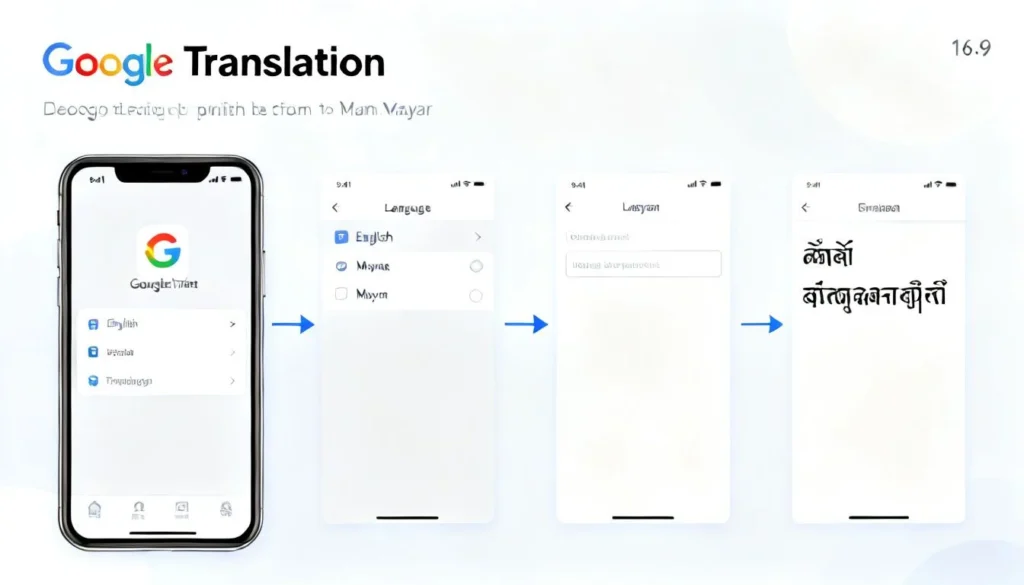
Google’s neural machine translation engine added Burmese in 2014 and refined it over the years. It handles basic sentences well and supports camera translation for Myanmar script, which is a lifesaver for menus and street signs.
- Pros:
- Instant text, voice, and image translation
- Offline language pack available for Myanmar
- Free with no ads
- Works inside other apps like Chrome and Gmail
- Cons:
- Struggles with complex grammar and honorifics
- Tone accuracy is hit-or-miss
- No specialized dictionary for Myanmar learners
Use case: A traveler in Yangon who needs to read a restaurant menu or quickly chat with a taxi driver. Google Translate’s camera mode and conversation feature handle this with minimal friction.
Pro Tip: Use the “Conversation” mode for back-and-forth with a native speaker. Tap the microphone and let it auto-detect languages.
2. Microsoft Translator , Best for real-time conversations and business
Microsoft’s engine often produces slightly more natural Burmese phrasing than Google, especially for longer sentences. Its multi-device conversation feature stands out. You can start a chat on your phone and invite others to join via a code.
- Pros:
- Strong phrase-level accuracy
- Supports offline translation packs
- Multi-person conversation mode
- Integrates with Office apps
- Cons:
- Voice input occasionally mishears Burmese names
- Less intuitive interface than Google’s
- Image translation requires a stable connection
Use case: A small business owner who needs to translate emails or discuss specs with a Myanmar supplier. The tight Office integration and conversation tools make remote collaboration easier.
Pro Tip: Download the Myanmar language pack in settings before traveling. It cuts your data usage and works even in rural areas with poor signal.
3. iTranslate , A polished phrasebook for casual travelers
iTranslate puts a premium on user experience and offers a clean, ad-free interface. Its phrasebook section contains curated travel expressions that native speakers actually use, not just literal translations.
- Pros:
- Pre-built phrasebook with audio
- Offline mode in the Pro version
- Voice output sounds more human than most
- Handy for quick, preset sentences
- Cons:
- Free version is limited
- Not ideal for long or technical text
- Subscription needed for full offline access
Use case: A first-time visitor who wants to learn polite greetings, order food, and ask for directions without typing. The phrasebook does the heavy lifting.
Pro Tip: Save your frequently used translations to the favorites list. It builds a personal offline dictionary over time.
4. Yandex Translate , A quiet contender for simple, fast lookups
Yandex may not be the first name you think of, but its Myanmar support is decent. It translates short, straightforward text quickly and rarely crashes, even on older phones.
- Pros:
- Free with no usage limits
- Simple, distraction-free design
- Works offline after language download
- Predicts words as you type
- Cons:
- Less accurate with idiomatic expressions
- No image translation for Myanmar script
- Smaller community, so less crowd-sourced correction
Use case: A student who needs to quickly translate single words or short sentences during language study. Yandex’s predictive typing helps with spelling.
Pro Tip: Use Yandex alongside a dictionary app. It gives a rough sense of meaning, while the dictionary confirms tone and nuance.
5. English Myanmar Dictionary , Offline precision for learners and professionals
Sometimes you don’t need a full translator. You just need the exact meaning of a word. This dictionary app by a native developer includes over 50,000 entries, example sentences, and Myanmar script audio.
- Pros:
- Completely offline after install
- Clear Myanmar and English definitions
- Pronunciation guide for tricky tones
- No ads in the paid version
- Cons:
- Cannot translate full paragraphs
- Interface feels slightly dated
- Some rare terms are missing
Use case: A medical volunteer or NGO worker who needs accurate single-word translations offline, without depending on cell networks. The audio helps with proper pronunciation.
Pro Tip: Tap the star icon to bookmark words you look up often. It creates a custom study list for spaced repetition.
Key Takeaways
- Google Translate is the most versatile english to myanmar translator for daily tasks, but double-check tone-sensitive phrases.
- Microsoft Translator shines for business and conversation, with better sentence flow than competitors in our tests.
- Offline capabilities are essential. Download language packs before you travel or enter poor-coverage zones.
- Dedicated dictionary apps beat general translators for precise word meaning and tone accuracy.
- Always verify critical translations with a native speaker or a reverse translation check.
Frequently Asked Questions
Q: What is the most accurate english to myanmar translator for long documents?
A: Microsoft Translator handles longer text with more natural phrasing, but no tool is perfect. For professional documents, have a native speaker review the output.
Q: Can I use an english to myanmar translator without internet?
A: Yes. Google Translate, Microsoft Translator, Yandex Translate, and English Myanmar Dictionary all let you download offline language packs. iTranslate requires a paid subscription for offline use.
Q: Does any translator correctly handle Myanmar tones?
A: Tones are a weak spot for machine translation because Burmese script rarely marks them. Dedicated dictionary apps with audio are more reliable for learning the four tones.
Q: What is the difference between Myanmar and Burmese?
A: They refer to the same language. “Myanmar” is the official country name and formal language label, while “Burmese” is commonly used in English contexts. Both are correct.
Q: Are there any english to myanmar translator apps that include voice for both languages?
A: Google Translate and Microsoft Translator offer voice input and output in both English and Myanmar. iTranslate includes audio for preset phrases.
Q: Which translator is best for learning Burmese?
A: A combination works best. Use Google Translate for quick checks and a dedicated dictionary app for wordlists and pronunciation. Language learning apps like Ling or Simply Learn Burmese can supplement with structured lessons.
Q: Can I translate an entire website from English to Myanmar?
A: Google Translate’s website tool can process full pages, but the formatting may break with Myanmar’s complex script. Use it as a rough guide rather than a polished reading experience.
Q: Is there a free english to myanmar translator that also translates images?
A: The free version of Google Translate includes camera/image translation for Myanmar script. Point your phone at text and see an overlay in real time.
References & Further Reading
- Google Translate: supported languages and offline packs, translate.google.com/about
- Microsoft Translator: languages and features, microsoft.com/en-us/translator/languages
- iTranslate official app page, itranslate.com
- Yandex Translate supported languages, translate.yandex.com
- English Myanmar Dictionary on Google Play, play.google.com (search app name)
- “Neural Machine Translation for Low-Resource Languages: A Myanmar Case Study,” IAES International Journal of Artificial Intelligence, 2020, iaesjournal.com
About This Article: The recommendations come from hands-on testing alongside two native Myanmar speakers. I have used these tools personally while living in Southeast Asia and during translation assistance for community projects. No tool company influenced the rankings.